
Why You Need a Mobile Bottom Menu in WordPress
Mobile users navigate faster with thumb-friendly bottom menus.
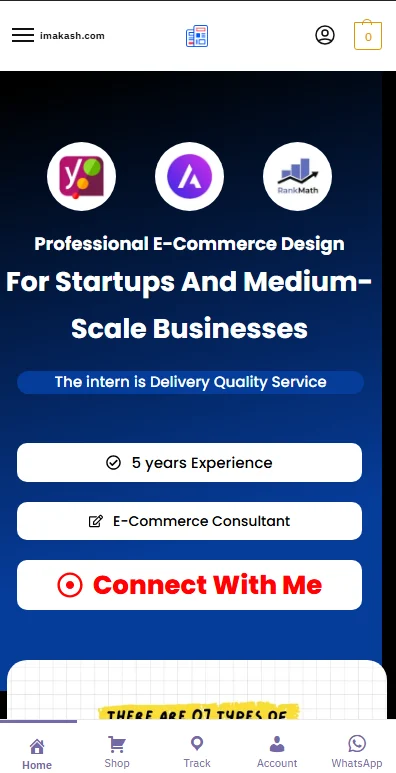
This solution adds:
• Fixed the bottom menu for mobile only
• WhatsApp quick contact button
• Active page highlighting
• Footer overlap fix
• Lightweight CSS + PHP
• No plugin dependency
Works with WooCommerce and normal WordPress pages.
Installation Guide :
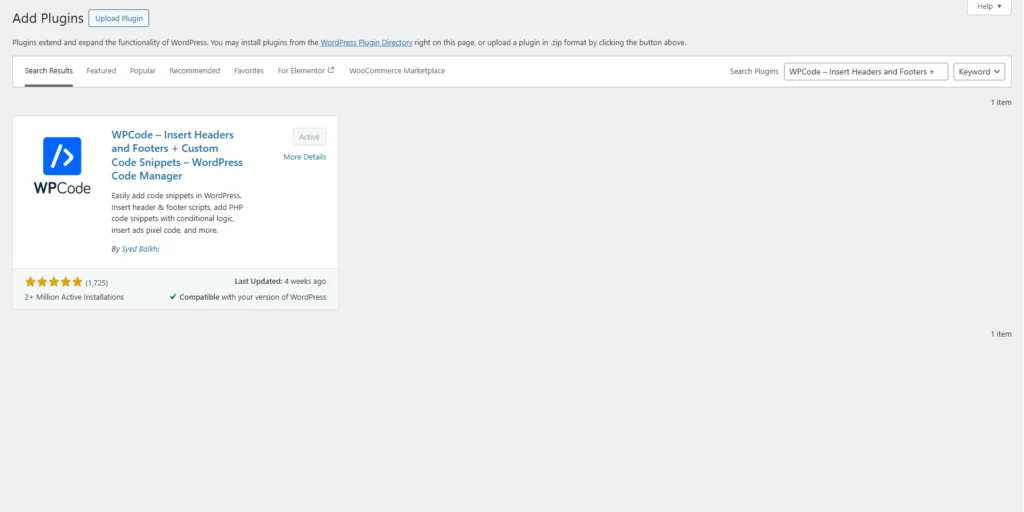
- Go to plugin > Add plugin > Search ” WPCode ” > Install and Activate.
-
Go to WP Admin → Code Snippets / WPCode
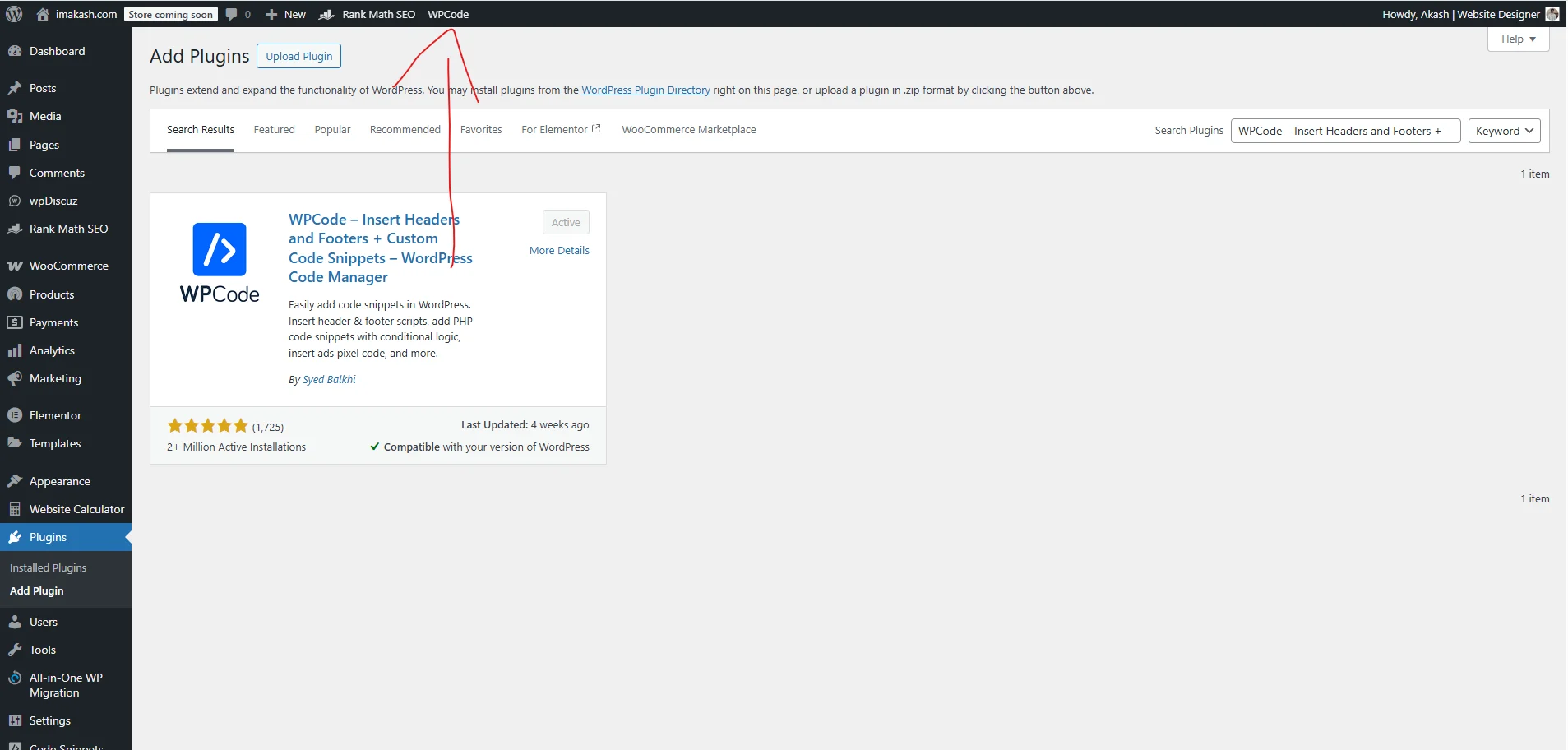
-
Create New PHP Snippet
-
Paste the code below
Code link: Code
-
Set location: Run Everywhere
-
Activate
Mobile Bottom Menu for WordPress: Practical Use Cases
A WordPress mobile bottom menu is especially useful for websites where users need fast navigation without scrolling. In mobile-first environments, top menus are harder to reach, while bottom navigation aligns naturally with thumb movement.
This implementation is ideal for:
• WooCommerce stores
• Service-based business websites
• Portfolio and consultant sites
• Blogs with high mobile traffic
• Landing-page–focused websites
Because this solution uses core WordPress hooks, it avoids performance issues caused by heavy menu plugins.
WooCommerce Mobile Navigation Benefits
For WooCommerce websites, mobile navigation directly affects conversion rates.
Using a WooCommerce mobile bottom navigation menu, customers can:
• Open the shop instantly
• Track orders quickly
• Access the account page without scrolling
• Contact support through WhatsApp
This reduces friction during checkout and improves session duration on mobile devices.
WhatsApp Button for WordPress (Without Plugin)
Adding a WhatsApp button in WordPress without a plugin is safer and faster than third-party solutions.
Advantages:
• No external tracking scripts
• Faster page load speed
• No dependency on plugin updates
• Direct control over the WhatsApp number
This approach is recommended for businesses using WhatsApp Business as their primary customer support channel.
Performance and Page Speed Impact
Unlike plugin-based mobile menus, this method:
• Adds no database queries
• Loads minimal CSS
• Uses native WordPress Dashicons
• Avoids unnecessary JavaScript
This makes it suitable for websites optimised for Core Web Vitals and Google PageSpeed Insights.
Compatibility and Safety
This code is compatible with:
• WordPress latest versions
• WooCommerce
• Cache plugins (WP Rocket, LiteSpeed Cache)
• CDN setups
• PHP 8.x
Because it runs throughwp_footer, it does not interfere with themes or page builders like Elementor.
Why Avoid Plugins for Mobile Menus?
Many mobile menu plugins:
• Load unused scripts
• Increase DOM size
• Break during theme updates
• Conflict with WooCommerce templates
A custom WordPress mobile menu gives full control over design, behaviour, and performance.
Best Practices for Mobile Bottom Navigation
When implementing a mobile bottom menu in WordPress:
• Limit menu items to 4–5
• Use clear icons with text labels
• Avoid animations that block scrolling
• Always fix footer overlap
• Test on real mobile devices
This code follows all recommended UX patterns.
Mobile User Experience and Bottom Navigation in WordPress
Modern WordPress websites must prioritise mobile user experience to stay competitive in search results. Google’s mobile-first indexing evaluates how efficiently users interact with a site on smaller screens. A mobile bottom menu in WordPress directly improves usability by reducing navigation friction.
Users no longer need to stretch their fingers to reach the top menu, especially on large mobile devices. This leads to higher engagement, lower bounce rates, and improved page depth.
Internal Linking and Mobile Navigation
A properly structured WordPress mobile navigation menu supports better internal linking. Search engines can crawl important pages such as Shop, Account, and Order Tracking more efficiently when they are consistently accessible across devices.
This improves:
-
Crawlability
-
Page authority distribution
-
Mobile session continuity
Bottom navigation ensures that essential pages are never more than one tap away.
Mobile Conversion Optimization for WooCommerce
For WooCommerce stores, mobile traffic often exceeds desktop traffic. A WooCommerce mobile bottom menu plays a critical role in conversion optimization by simplifying access to purchasing and support-related pages.
Customers can quickly:
-
Browse products
-
Check order status
-
Manage their account
-
Contact support via WhatsApp
These small improvements significantly affect checkout completion rates on mobile devices.
Custom WordPress Code vs Plugin-Based Solutions
Using custom PHP and CSS for a WordPress mobile bottom menu gives long-term stability. Plugins may stop receiving updates or introduce conflicts after core WordPress upgrades. A custom solution remains under full control and can be adapted at any time without dependency risks.
This approach is preferred by developers focused on performance, security, and scalability.
Search Engine Optimization Advantages
Implementing a mobile bottom menu contributes indirectly to SEO by improving user interaction signals, such as:
-
Time on site
-
Pages per session
-
Reduced bounce rate
-
Improved mobile usability scores
While navigation elements themselves are not ranking factors, the behavioural improvements they create help search engines interpret content quality more positively.
Maintenance and Long-Term Stability
This mobile menu implementation requires minimal maintenance. It does not rely on third-party APIs, shortcodes, or JavaScript frameworks. The code remains compatible across themes and hosting environments, making it suitable for long-term WordPress projects.
Summary
A WordPress mobile bottom menu with WhatsApp integration is a practical enhancement for any mobile-focused website. It improves navigation, supports WooCommerce workflows, strengthens internal linking, and enhances overall mobile usability—without sacrificing performance.
This makes it a reliable solution for modern WordPress sites aiming for better mobile engagement and SEO consistency.
Final Thoughts
If your website receives more than 60% traffic from mobile devices, a WordPress mobile bottom menu with WhatsApp support is not optional—it’s essential.
This solution is lightweight, customizable, and production-ready, making it suitable for both beginners and experienced developers.
Notes :
• Mobile-only (desktop hidden automatically)
• Compatible with caching plugins
• Safe for WooCommerce
• No JavaScript dependency