








Product Exchange for WooCommerce
Free WooCommerce Product Exchange Management Plugin
Allow your customers to submit product exchange requests directly from their My Account page and manage the entire exchange approval process from the WooCommerce order screen.
Product Exchange for WooCommerce provides a simple, secure, and organized exchange-request workflow for online stores. Customers can select the products and quantities they want to exchange, provide a reason, upload supporting proof, and submit their request. Store administrators can then review, approve, or reject the request directly from the WooCommerce order.
Key Features
Easy Exchange Requests
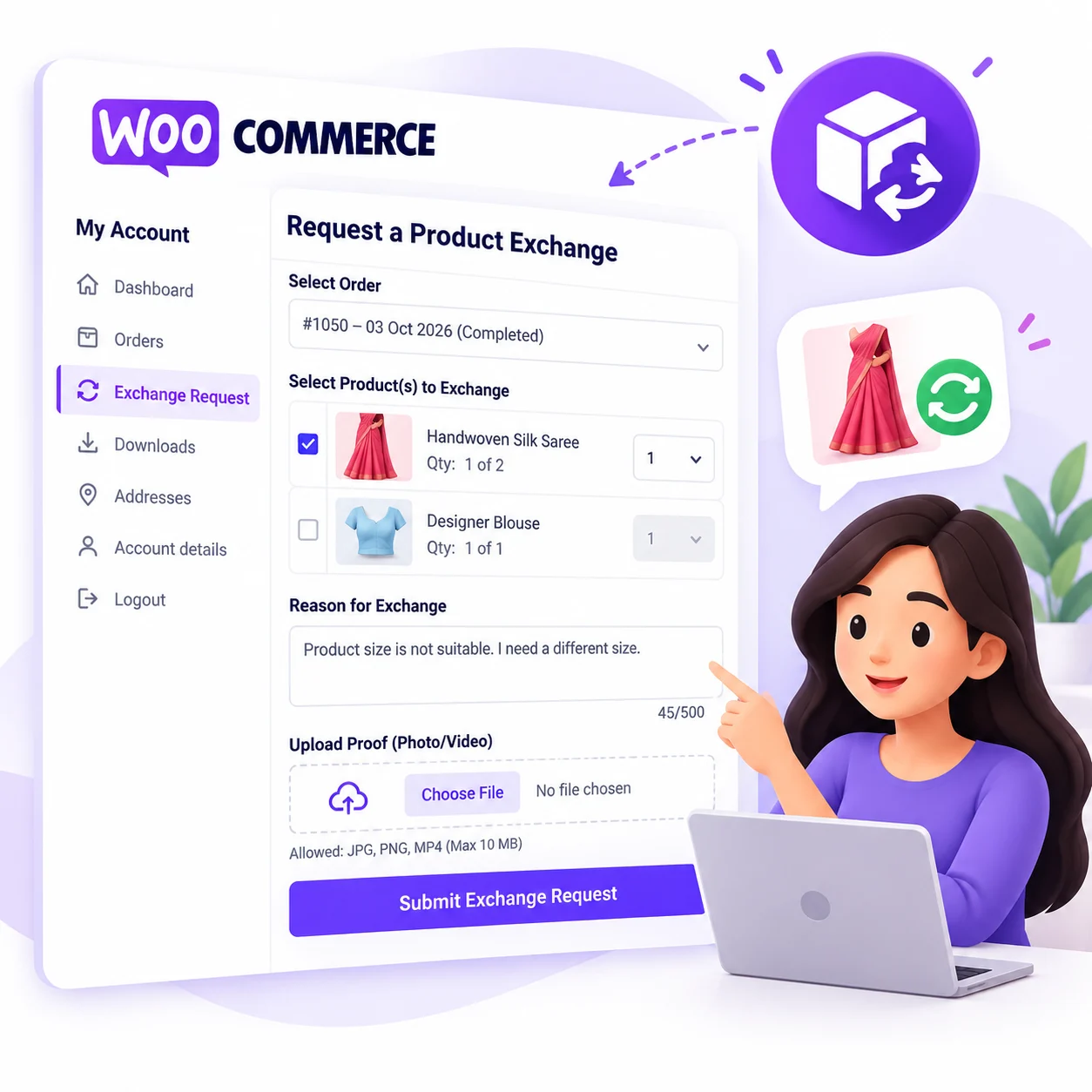
Customers can submit exchange requests directly from their WooCommerce My Account page.
Product & Quantity Selection
Customers can select the specific product and quantity they want to exchange instead of requesting an exchange for the entire order.
Configurable Exchange Period
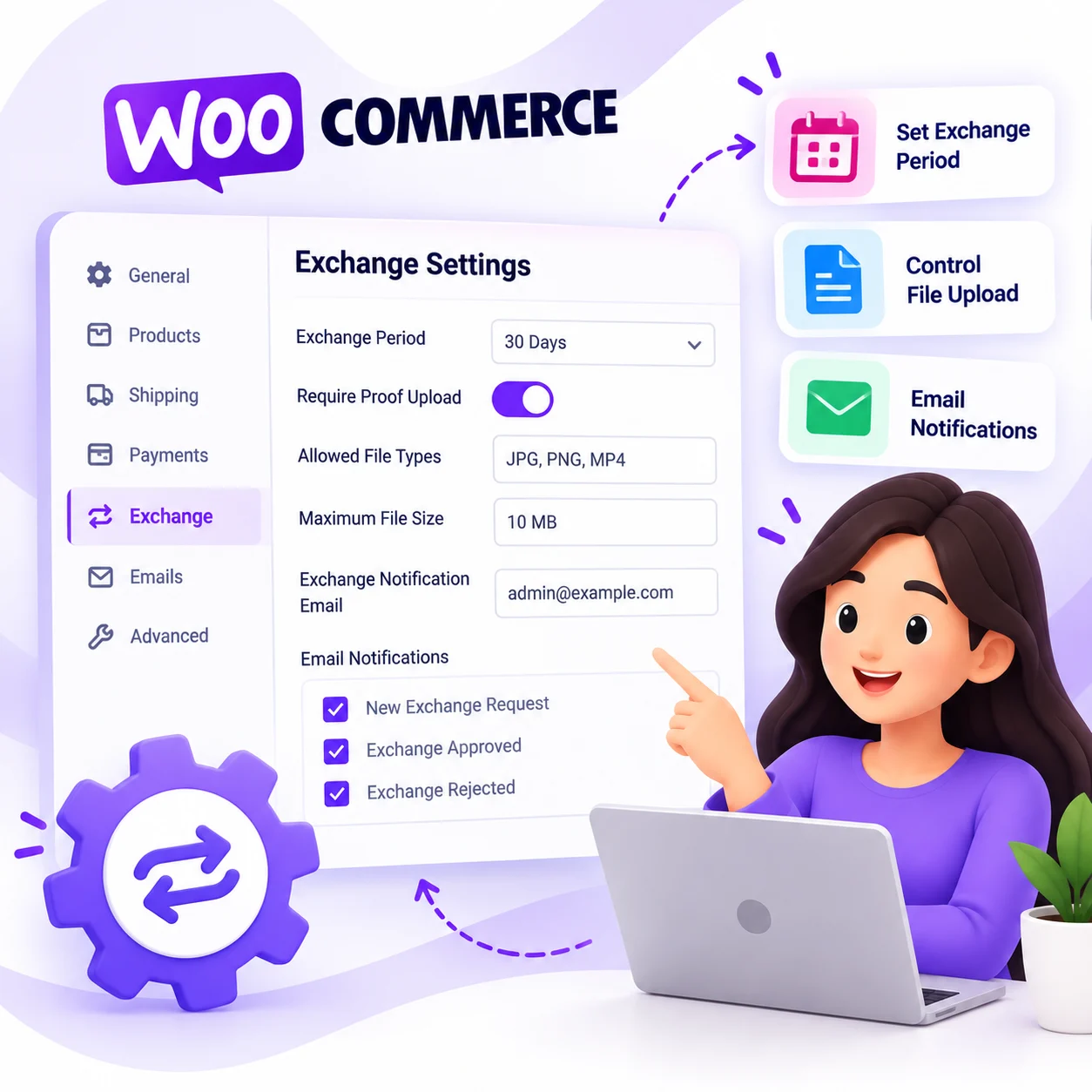
Set an exchange eligibility period such as 7, 15, 30, 60, 90 days, or allow exchanges without a time limit.
Exchange Reason
Customers can provide a detailed reason for their exchange request with built-in character validation.
Proof Upload
Customers can upload supporting photos or videos in supported formats such as:
- JPG
- PNG
- MP4
Maximum upload size can be configured from the plugin settings.
Secure Proof Storage
Uploaded exchange proof is protected and accessed through a secure download system instead of exposing the original file directly.
Admin Review
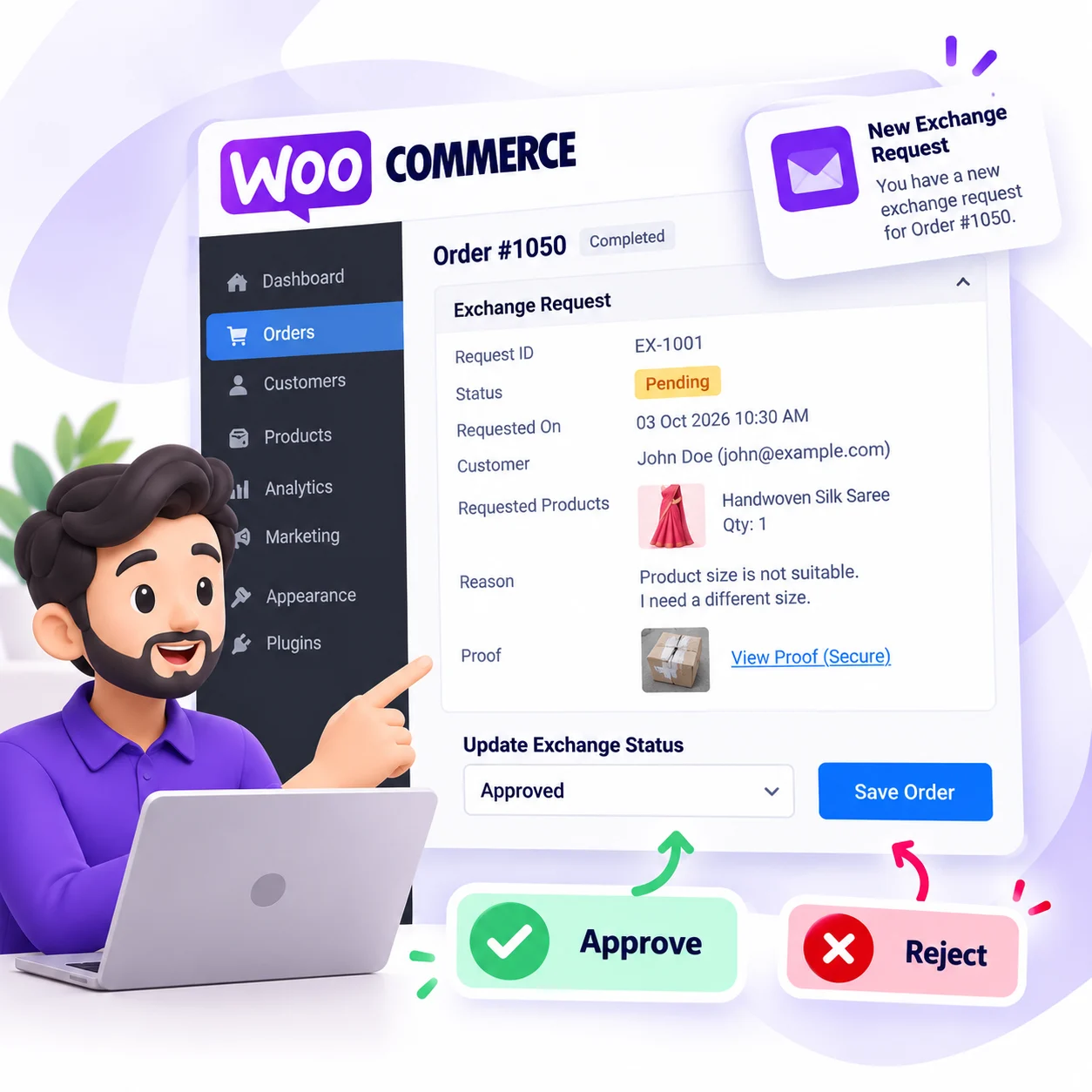
Store administrators can review exchange requests directly from the WooCommerce order screen.
Administrators can view:
- Exchange Request ID
- Customer details
- Requested products
- Quantities
- Exchange reason
- Request date
- Uploaded proof
- Current exchange status
✅ Approve Exchange Requests
Administrators can approve an exchange request and automatically change the order status to:
Exchange Accepted
❌ Reject with Reason
Administrators can reject an exchange request and provide a specific rejection reason to the customer.
Email Notifications
Automatic email notifications are available for:
- New exchange requests
- Exchange approval
- Exchange rejection
WooCommerce email settings allow administrators to customize the email subject and heading.
Email Resend Support
Administrators can resend exchange-related notifications when required.
Exchange Request ID
Every request receives a unique exchange request ID for easier tracking and customer support.
Example:
EX-1001
Automatic File Cleanup
Exchange proof files are automatically cleaned up when the associated exchange request or order is permanently removed.
Flexible Settings
Configure important exchange settings from the WooCommerce settings area, including:
- Exchange notification email
- Exchange eligibility period
- Proof upload requirement
- Maximum proof file size
- Allowed proof file types
Security Features
The plugin includes:
- WordPress nonce verification
- Customer/order ownership validation
- Server-side validation
- File type validation
- File size validation
- Secure proof downloads
- Admin capability checks
- Duplicate exchange-request protection
WooCommerce & HPOS Ready
Built using WooCommerce APIs and designed to work with modern WooCommerce installations, including High-Performance Order Storage (HPOS).
How It Works
Customer
- Customer logs into My Account.
- Opens Exchange Request.
- Selects an eligible completed order.
- Selects the product and quantity.
- Provides the exchange reason.
- Uploads proof if required.
- Submits the exchange request.
Store Admin
- Admin receives the exchange notification.
- Opens the WooCommerce order.
- Reviews the exchange request.
- Checks the requested products and proof.
- Selects Approved or Rejected.
- If approved, the order changes to Exchange Accepted.
- If rejected, the admin provides a rejection reason.
- The customer receives the appropriate email notification.
Requirements
- WordPress
- WooCommerce
- PHP version supported by your current WordPress/WooCommerce installation
- Logged-in customer account for submitting exchange requests
Installation
- Download the plugin ZIP.
- Go to WordPress Admin → Plugins → Add New Plugin.
- Click Upload Plugin.
- Upload the plugin ZIP.
- Install and activate the plugin.
- Go to WooCommerce → Settings → Exchange.
- Configure your exchange settings.
- Customers can then access My Account → Exchange Request.
Exchange Statuses
The plugin supports:
- Pending – Exchange request is waiting for admin review.
- Approved – Admin has approved the exchange.
- Rejected – Admin has rejected the exchange with a reason.
- Exchange Accepted – WooCommerce order status after an exchange is approved.
Privacy & Security
Exchange proof files are handled through a protected download mechanism. Access is restricted based on the customer’s order ownership or appropriate administrator permissions.
The plugin also validates submitted order information and uploaded files on the server side.
Free Plugin
Product Exchange for WooCommerce is available free for your WooCommerce store.
No complicated external exchange-management system is required. The exchange workflow is handled directly inside WooCommerce.
Version
Version: 2.4.0
Plugin: Product Exchange for WooCommerce
License: Free